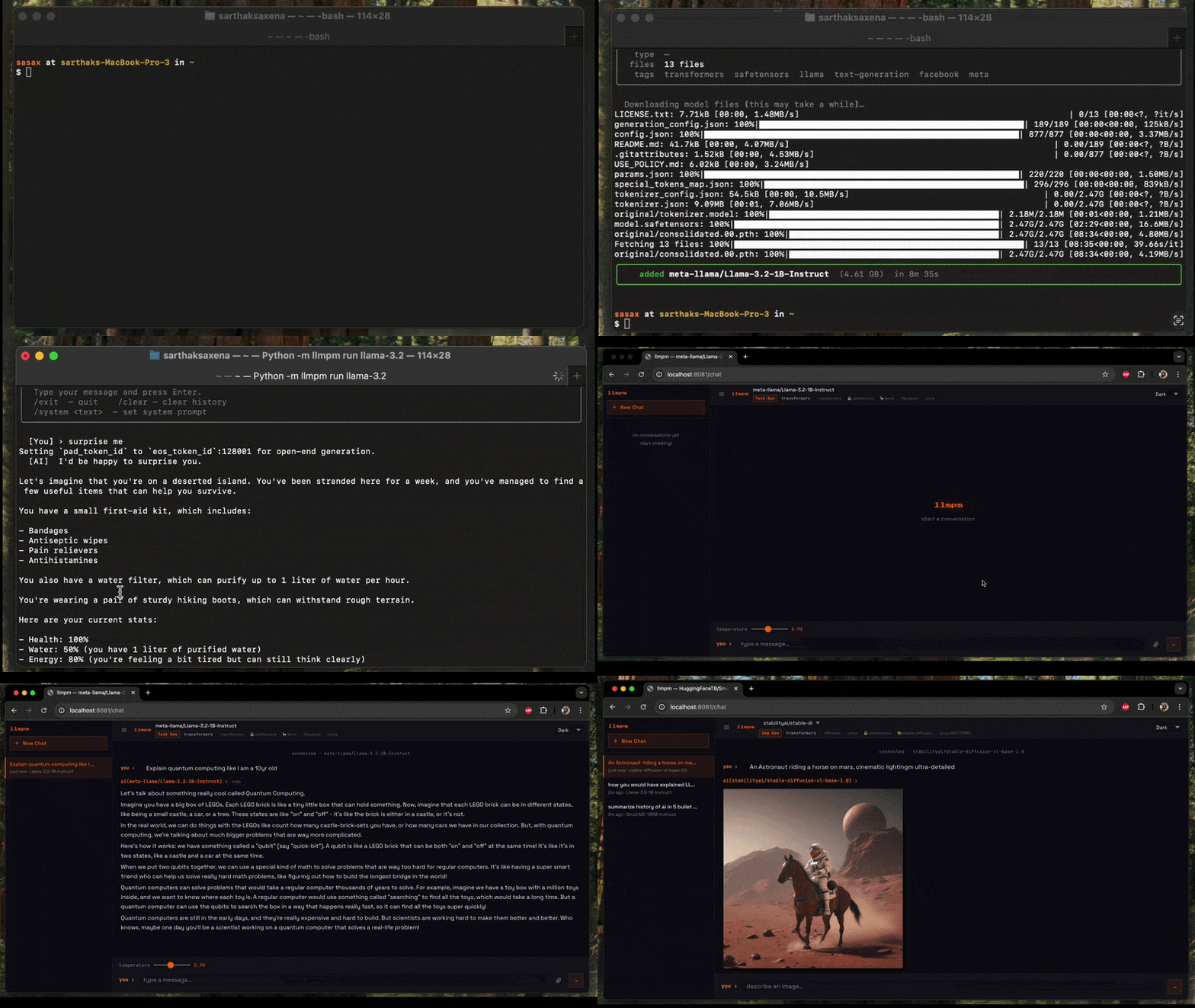
Command-line package manager for open-sourced large language models. Download and run 10,000+ models, and share LLMs with a single command.
llmpm is a CLI package manager for large language models, inspired by pip and npm. Your command line hub for open-source LLMs. We’ve done the heavy lifting so you can discover, install, and run models instantly.
Text generation (GGUF via llama.cpp and Transformer checkpoints)
Image generation (Diffusion models)
Vision models
Speech-to-text (ASR)
Text-to-speech (TTS)
02
Installation
via pip (recommended)
sh
$pip install llmpm
The pip install is intentionally lightweight — it only installs the CLI tools needed to bootstrap. On first run, llmpm automatically creates an isolated environment at ~/.llmpm/venv and installs all ML backends into it, keeping your system Python untouched.
via npm
sh
$npm install -g llmpm
The npm package finds Python on your PATH, creates ~/.llmpm/venv, and installs all backends into it during postinstall.
via Homebrew
sh
$brew tap llmpm/llmpm
$brew install llmpm
Environment isolation
All llmpm commands always run inside ~/.llmpm/venv.
Set LLPM_NO_VENV=1 to bypass this (useful in CI or Docker where isolation is already provided).
03
Quick start
sh
#Install a model
$llmpm install Qwen/Qwen2.5-0.5B-Instruct
$
#Run it
$llmpm run Qwen/Qwen2.5-0.5B-Instruct
$llmpm serve Qwen/Qwen2.5-0.5B-Instruct
04
Commands
Command
Description
llmpm init
Initialise a llmpm.json in the current directory
llmpm install
Install all models listed in llmpm.json
llmpm install <repo>
Download and install a model from HuggingFace, Ollama & Mistral
llmpm run <repo>
Run an installed model (interactive chat)
llmpm serve [repo] [repo] ...
Serve one or more models as an OpenAI-compatible API
llmpm serve
Serve every installed model on a single HTTP server
llmpm benchmark <repo>
Run evaluation benchmarks against an installed model
llmpm push <repo>
Upload a model to HuggingFace Hub
llmpm search <query>
Search HuggingFace Hub for models
llmpm trending
Show top trending models by likes (text-gen & text-to-image)
llmpm list
Show all installed models
llmpm info <repo>
Show details about a model
llmpm uninstall <repo>
Uninstall a model
llmpm clean
Remove the managed environment (~/.llmpm/venv)
llmpm clean --all
Remove environment + all downloaded models and registry
05
Local vs global mode
llmpm works in two modes depending on whether a llmpm.json file is present.
Global mode (default)
All models are stored in ~/.llmpm/models/ and the registry lives at
~/.llmpm/registry.json. This is the default when no llmpm.json is found.
Local mode
When a llmpm.json exists in the current directory (or any parent), llmpm
switches to local mode: models are stored in .llmpm/models/ next to the
manifest file. This keeps project models isolated from your global environment.
my-project/
├── llmpm.json        ← manifest
└── .llmpm/           ← local model store (auto-created)
    ├── registry.json
    └── models/
All commands (install, run, serve, list, info, uninstall) automatically
detect the mode and operate on the correct store — no flags required.
06
`llmpm init`
Initialise a new project manifest in the current directory.
sh
$llmpm init # interactive prompts for name & description
$llmpm init --yes # skip prompts, use directory name as package name
This creates a llmpm.json:
json
${
$ "name": "my-project",
$ "description": "",
$ "dependencies": {}
$}
Models are listed under dependencies without version pins — llmpm models
don't use semver. The value is always "*".
07
`llmpm install`
sh
#Install a Transformer model
$llmpm install Qwen/Qwen2.5-0.5B-Instruct
$
#Install a GGUF model (interactive quantisation picker)
#Install and record in llmpm.json (local projects)
$llmpm install Qwen/Qwen2.5-0.5B-Instruct --save
$
#Install all models listed in llmpm.json (like npm install)
$llmpm install
In global mode models are stored in ~/.llmpm/models/.
In local mode (when llmpm.json is present) they go into .llmpm/models/.
Gated models
Some models (e.g. google/gemma-2-2b-it, meta-llama/Llama-3.2-3B-Instruct) require you to accept a licence on HuggingFace before downloading. If you try to install one without a token you will see:
  error  Download failed: access to google/gemma-2-2b-it is restricted.

  This is a gated model — you need to:
    1. Accept the licence at https://huggingface.co/google/gemma-2-2b-it
    2. Re-run with your HF token:

         HF_TOKEN=<your_token> llmpm install google/gemma-2-2b-it
Never prompt; pick the best default quantisation automatically
--save
Add the model to llmpm.json dependencies after installing
08
`llmpm run`
llmpm run auto-detects the model type and launches the appropriate interactive session. It supports text generation, image generation, vision, speech-to-text (ASR), and text-to-speech (TTS) models.
Text generation (GGUF & Transformers)
sh
#Interactive chat
$llmpm run Qwen/Qwen2.5-0.5B-Instruct
$
#Single-turn inference
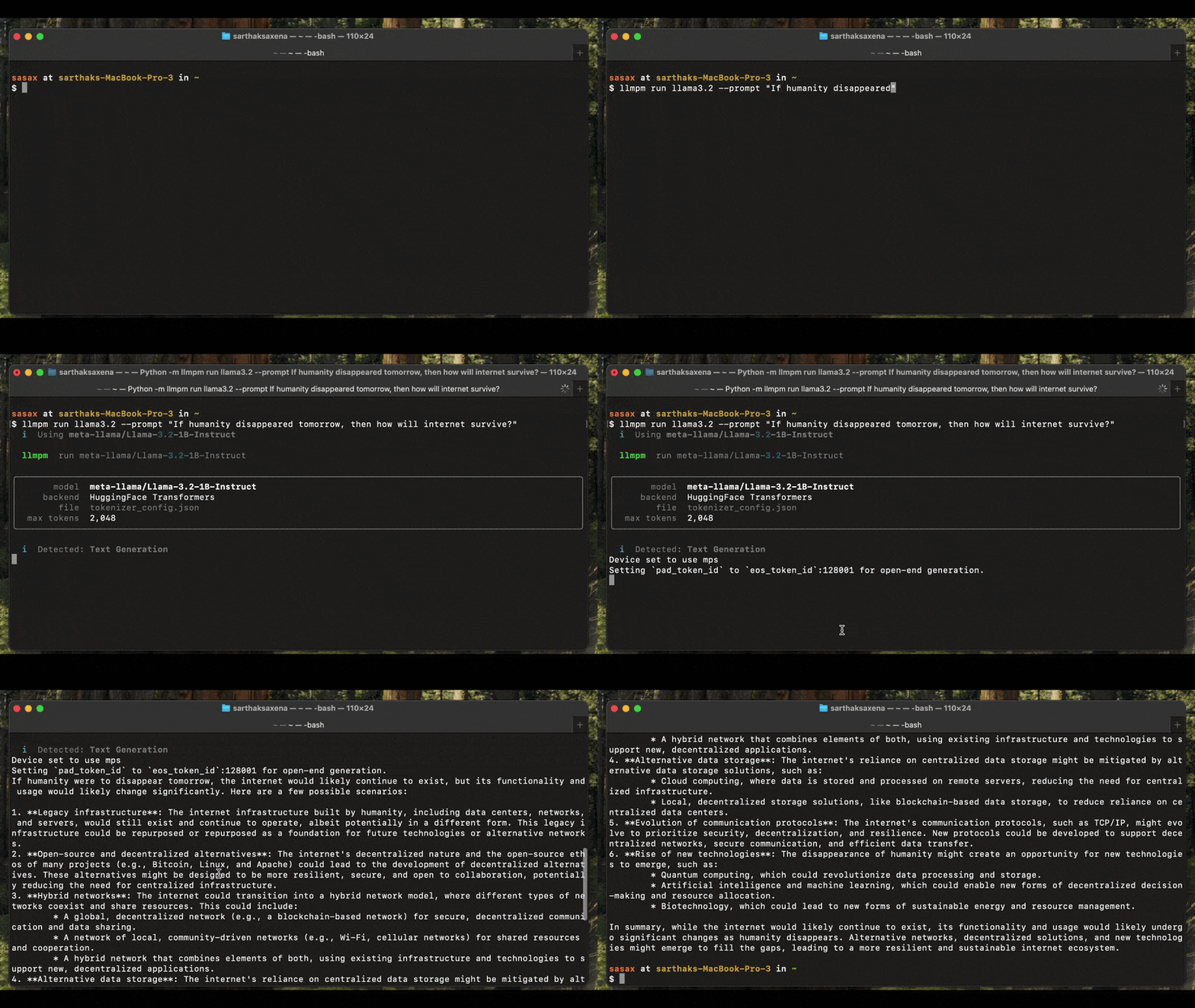
$llmpm run Qwen/Qwen2.5-0.5B-Instruct --prompt "Explain quantum computing"
$
#With a system prompt
$llmpm run Qwen/Qwen2.5-0.5B-Instruct --system "You are a helpful pirate."
$
#Limit response length
$llmpm run Qwen/Qwen2.5-0.5B-Instruct --max-tokens 512
$
#GGUF model — tune context window and GPU layers
$llmpm run unsloth/Llama-3.2-3B-Instruct-GGUF --ctx 8192 --gpu-layers 32
Image generation (Diffusion)
Generates an image from a text prompt and saves it as a PNG on your Desktop.
sh
#Single prompt → saves llmpm_<timestamp>.png to ~/Desktop
$llmpm run amused/amused-256 --prompt "a cyberpunk city at sunset"
$
#Interactive session (type a prompt, get an image each time)
$llmpm run amused/amused-256
In interactive mode type your prompt and press Enter. The output path is printed after each generation. Type /exit to quit.
Requires: pip install diffusers torch accelerate
Vision (image-to-text)
Describe or answer questions about an image. Pass the image file path via --prompt.
sh
#Single image description
$llmpm run Salesforce/blip-image-captioning-base --prompt /path/to/photo.jpg
$
#Interactive session: type an image path at each prompt
$llmpm run Salesforce/blip-image-captioning-base
Requires: pip install transformers torch Pillow
Speech-to-text / ASR
Transcribe an audio file. Pass the audio file path via --prompt.
sh
#Transcribe a single file
$llmpm run openai/whisper-base --prompt recording.wav
$
#Interactive: enter an audio file path at each prompt
$llmpm run openai/whisper-base
Supported formats depend on your installed audio libraries (wav, flac, mp3, …).
Requires: pip install transformers torch
Text-to-speech / TTS
Convert text to speech. The output WAV file is saved to your Desktop.
sh
#Single utterance → saves llmpm_<timestamp>.wav to ~/Desktop
$llmpm run suno/bark-small --prompt "Hello, how are you today?"
$
#Interactive session
$llmpm run suno/bark-small
Requires: pip install transformers torch
Running a model from a local path
Use --path to run a model that was not installed via llmpm install — for
example, a model you downloaded manually or trained yourself.
sh
#Run a GGUF file directly
$llmpm run --path ~/Downloads/mistral-7b-q4.gguf
$
#Run a HuggingFace-style model directory
$llmpm run --path ~/models/whisper-base --prompt recording.wav
$
#Optional: give the model a display label
$llmpm run my-llama --path /data/models/llama-3
--path accepts either a .gguf file or a directory. The model type is
auto-detected (GGUF if the path contains .gguf files, otherwise the
transformers/diffusion/audio backend is chosen from config.json).
llmpm run options
Option
Default
Description
--prompt / -p
—
Single-turn prompt or input file path (non-interactive)
--system / -s
—
System prompt (text generation only)
--max-tokens
128000
Maximum tokens to generate per response
--ctx
128000
Context window size (GGUF only)
--gpu-layers
-1
GPU layers to offload, -1 = all (GGUF only)
--verbose
off
Show model loading output
--path
—
Path to a local model dir or .gguf file (bypasses registry)
Interactive session commands
These commands work in any interactive session:
Command
Action
/exit
End the session
/clear
Clear conversation history (text gen only)
/system <text>
Update the system prompt (text gen only)
Model type detection
llmpm run reads config.json / model_index.json from the installed model to determine the pipeline type before loading any weights. The detected type is printed at startup:
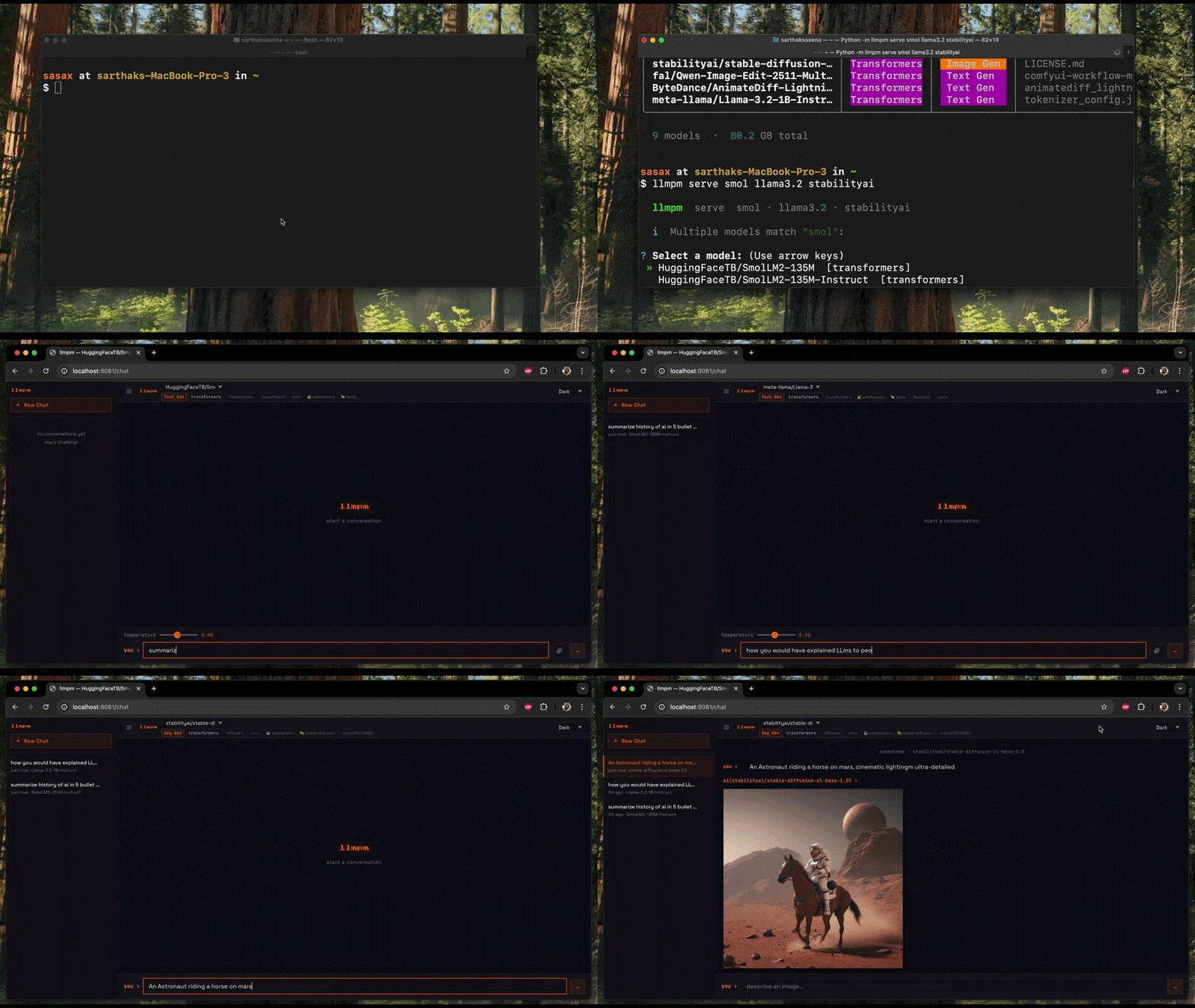
The chat UI at /chat shows a model dropdown when more than one model is loaded.
Switching models resets the conversation and adapts the UI to the new model's category.
Endpoints
Method
Path
Description
GET
/chat
Browser chat / image-gen UI (model dropdown for multi-model serving)
Filter by pipeline task (e.g. text-generation, text-to-image, automatic-speech-recognition)
--library / -l
—
Filter by library (e.g. transformers, gguf, diffusers)
--sort / -s
downloads
Sort by downloads, likes, lastModified, or trending
--limit / -n
20
Maximum number of results to display
--info
off
Immediately prompt to view detailed info for a result
After results are shown you will be asked if you want to view details for a specific model. Selecting one fetches the full model card from HuggingFace and shows author, task, license, languages, file list, tags, and a link to llmpm.co.
11
`llmpm trending`
Show the top trending models by likes & downloads, grouped by category.
sh
$llmpm trending
Displays two sections — Text Generation and Text to Image — each listing the top 5 models with download counts, like counts, and a link to the model page on llmpm.co.
12
`llmpm benchmark`
Run standard evaluation benchmarks against an installed mode.
Installation
The benchmark backend is an optional dependency — install it separately to keep the base llmpm footprint small:
Report: After every successful run, llmpm benchmark writes a report.html to the --output directory (or the current directory if omitted). The report includes a results table with per-metric scores and ± stderr, plus the full run configuration.
Run llmpm benchmark --list-tasks for the full list with descriptions.
Requires a HuggingFace token (run huggingface-cli login or set HF_TOKEN).
14
Backends
All backends (torch, transformers, diffusers, llama-cpp-python, …) are included in pip install llmpm by default and are installed into the managed ~/.llmpm/venv.
Model type
Pipeline
Backend
.gguf files
Text generation
llama.cpp via llama-cpp-python
.safetensors / .bin
Text generation
HuggingFace Transformers
Diffusion models
Image generation
HuggingFace Diffusers
Vision models
Image-to-text
HuggingFace Transformers
Whisper / ASR models
Speech-to-text
HuggingFace Transformers
TTS models
Text-to-speech
HuggingFace Transformers
Selective backend install
If you only need one backend (e.g. on a headless server), install without defaults and add just what you need:
sh
$pip install llmpm --no-deps # CLI only (no ML backends)
$pip install llmpm[gguf] # + GGUF / llama.cpp
$pip install llmpm[transformers] # + text generation